
Harmony turns the details that run daily life into one calm, shared workspace for both homes: parenting time, shared expenses, child records, and the messages in between.
- No shared password
- Built from your agreement
- Two homes, one clear view
Made by Toenet for separated and divorced parents · Available in English & Hebrew
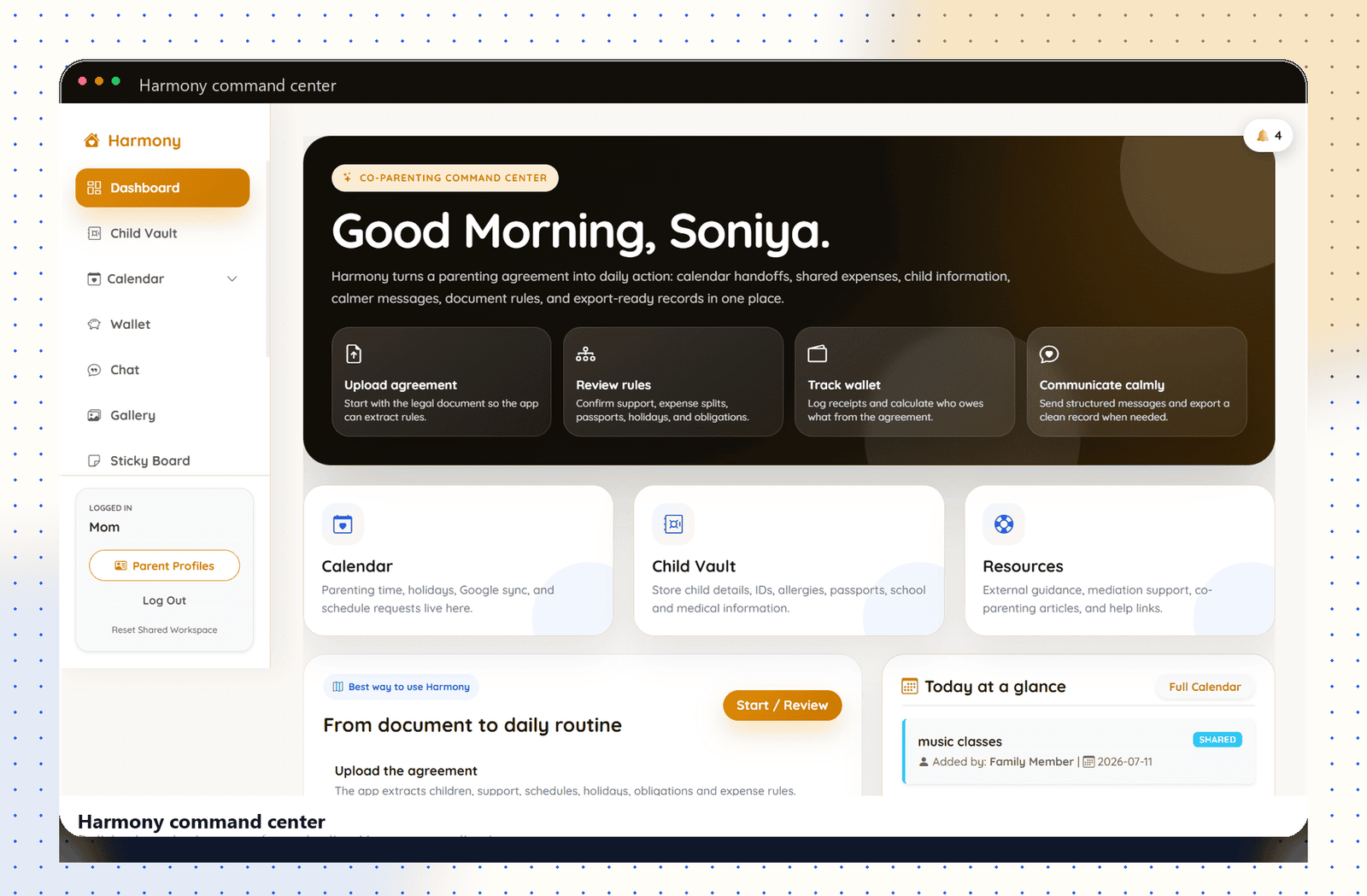
The relationship changes. The responsibilities don't.
After a separation, the day-to-day work of raising children continues. Schedules, school needs, appointments, and expenses arrive every week, and both parents still need to stay on top of them.
Too often that information is scattered across text messages, receipts, separate calendars, and the agreement itself. Harmony brings it into one structured place, so coordination takes less energy, even when communication between parents is limited.
From a signed agreement to an organized week.
Instead of re-reading the document every time a question comes up, Harmony turns it into details you can act on, and keeps both homes working from the same source.
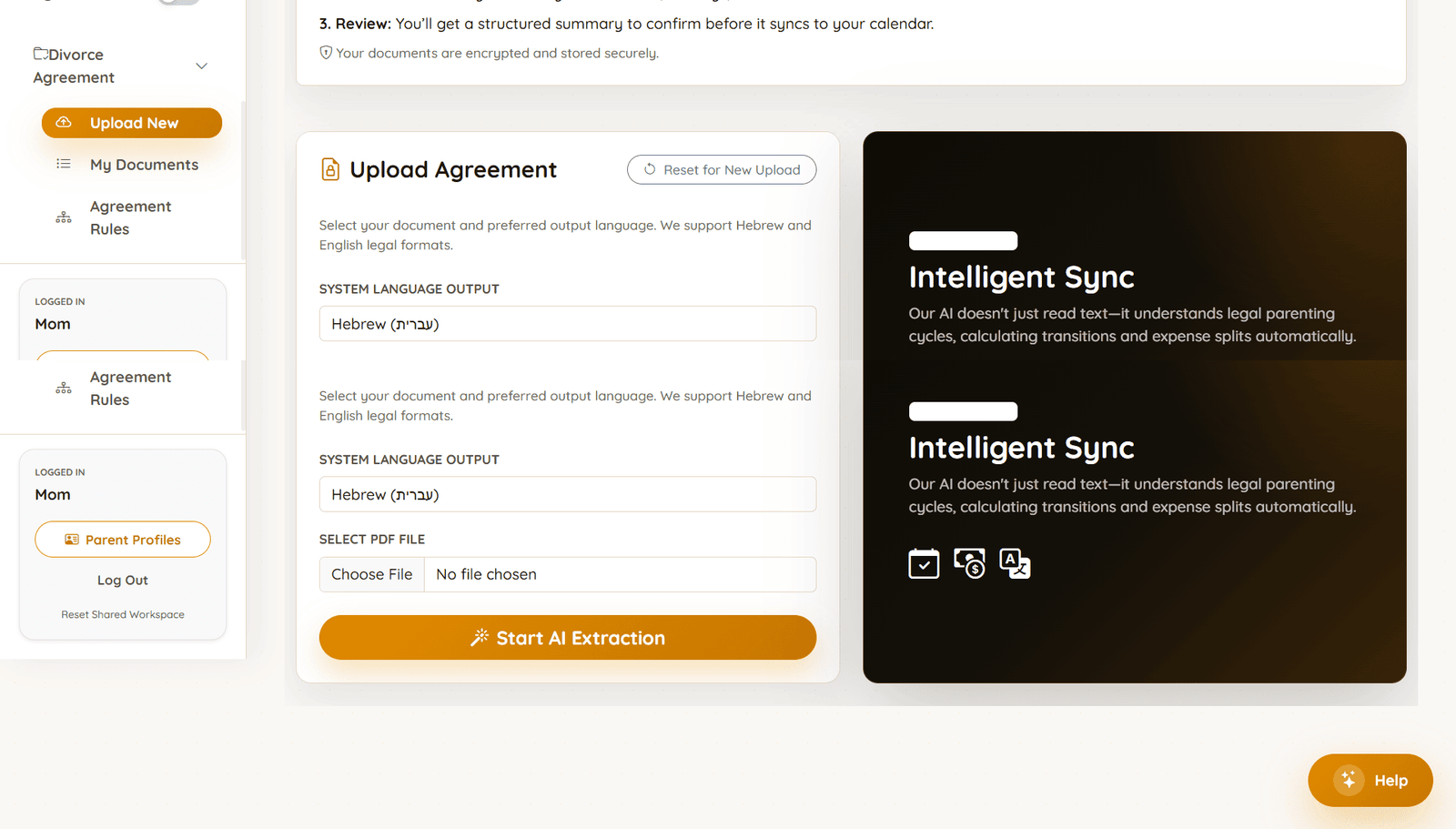
Upload the agreement
Add your parenting or divorce agreement as a PDF. Harmony reads both Hebrew and English legal formats.
Extract the details
It pulls out the parts that matter in daily life: schedules, handovers, holidays, obligations, and expense rules.
Review and confirm
You see a structured summary and confirm what's correct before anything is saved to your workspace.
Sync into daily life
Confirmed details flow into the Calendar, Wallet, Child Vault, and the shared family workspace both parents can see.
Harmony organizes what your agreement already says. It does not provide legal advice and does not replace your lawyer or mediator.
Three connected tools, one family context.
Calendar, Wallet, and Child Vault all read from the same active agreement, so the schedule, the money, and the records never drift out of sync.
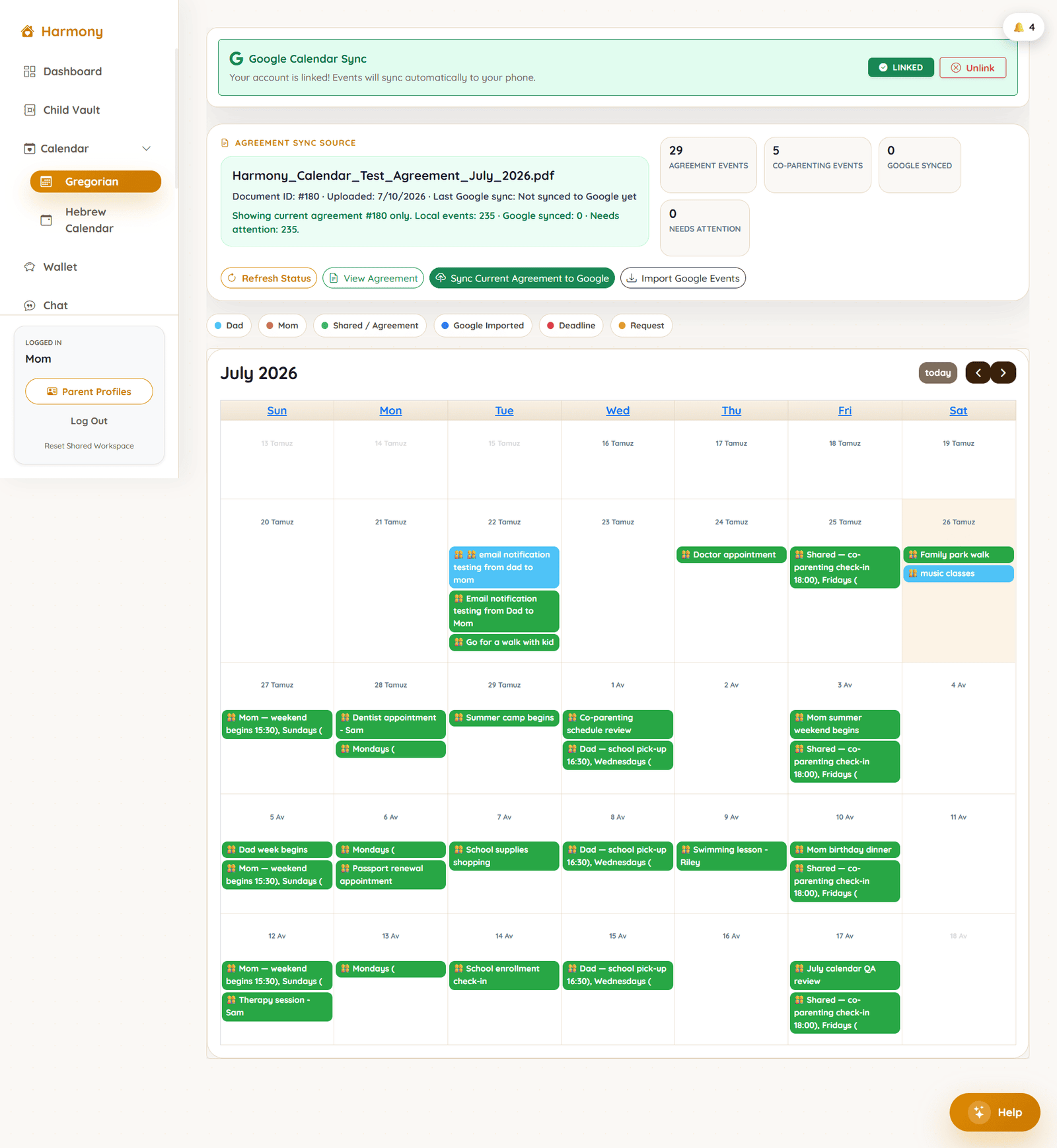
A calendar both homes can trust.
Parenting time, appointments, and holidays live in one place, with each event clearly owned by Mom, Dad, or shared.
- Parenting schedules & handovers
- Appointments & activities
- Holidays & shared family events
- Agreement-derived dates
- Gregorian & Hebrew dates
- Optional Google Calendar sync
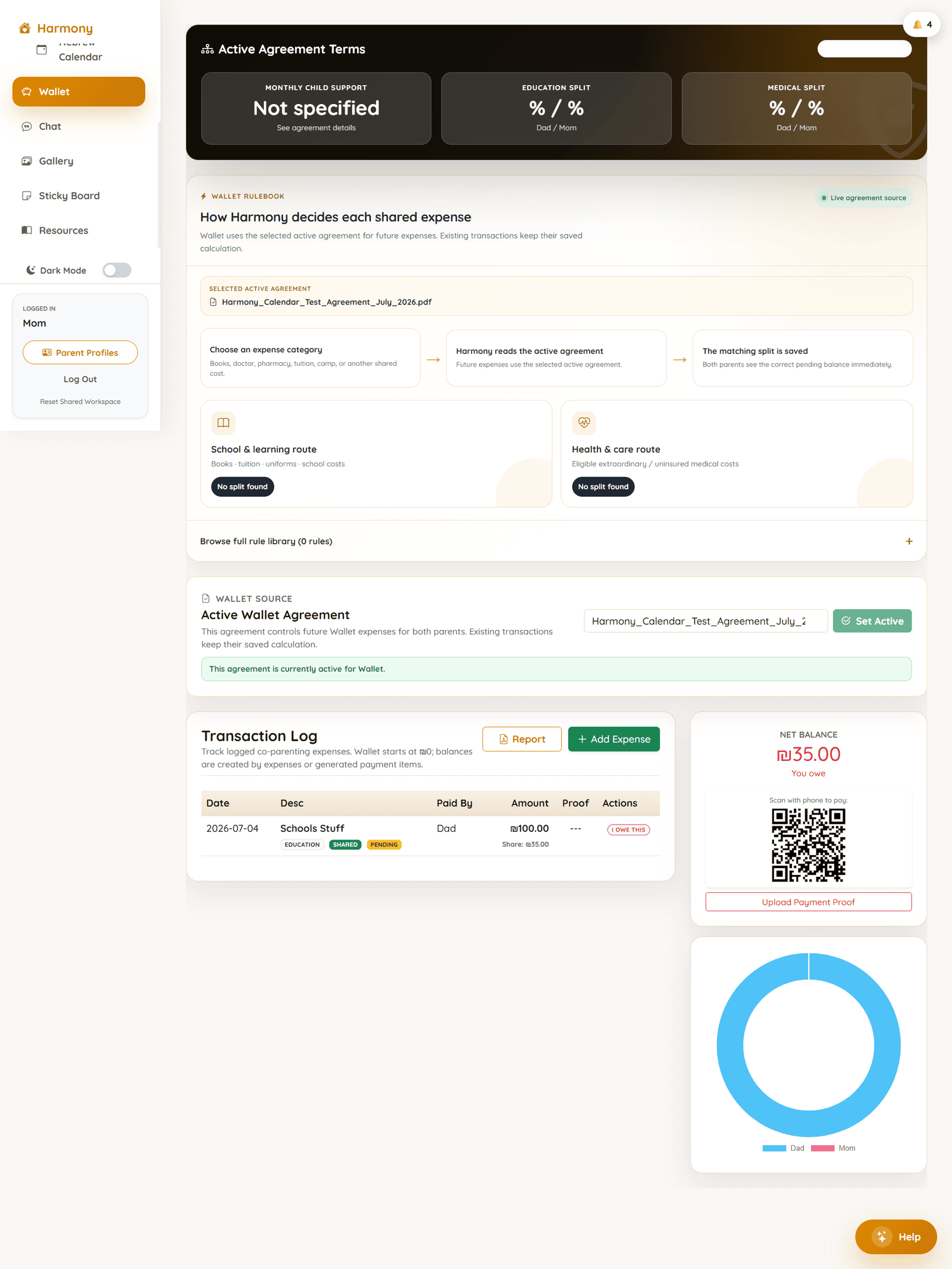
Shared costs, split by the agreement.
The Wallet uses your selected active agreement to work out each shared expense, so the split isn't a debate every time.
- Agreement rules & stored percentages
- Expense categories
- Who paid & current balances
- Payment proof upload
- Future expenses use the active agreement
- Existing transactions keep their saved split
The important child records, kept in one place.
The information you always seem to need at the wrong moment. Stored once, visible to both parents, and ready to export.
- School information
- Medical details
- Insurance
- Passports
- IDs
- Important child records
A calmer place for the practical messages.
Keep the day-to-day logistics around your children in one organized space, separate from personal messaging.
Harmony Chat
A dedicated channel for practical parent communication, with a record you can export when you need one.
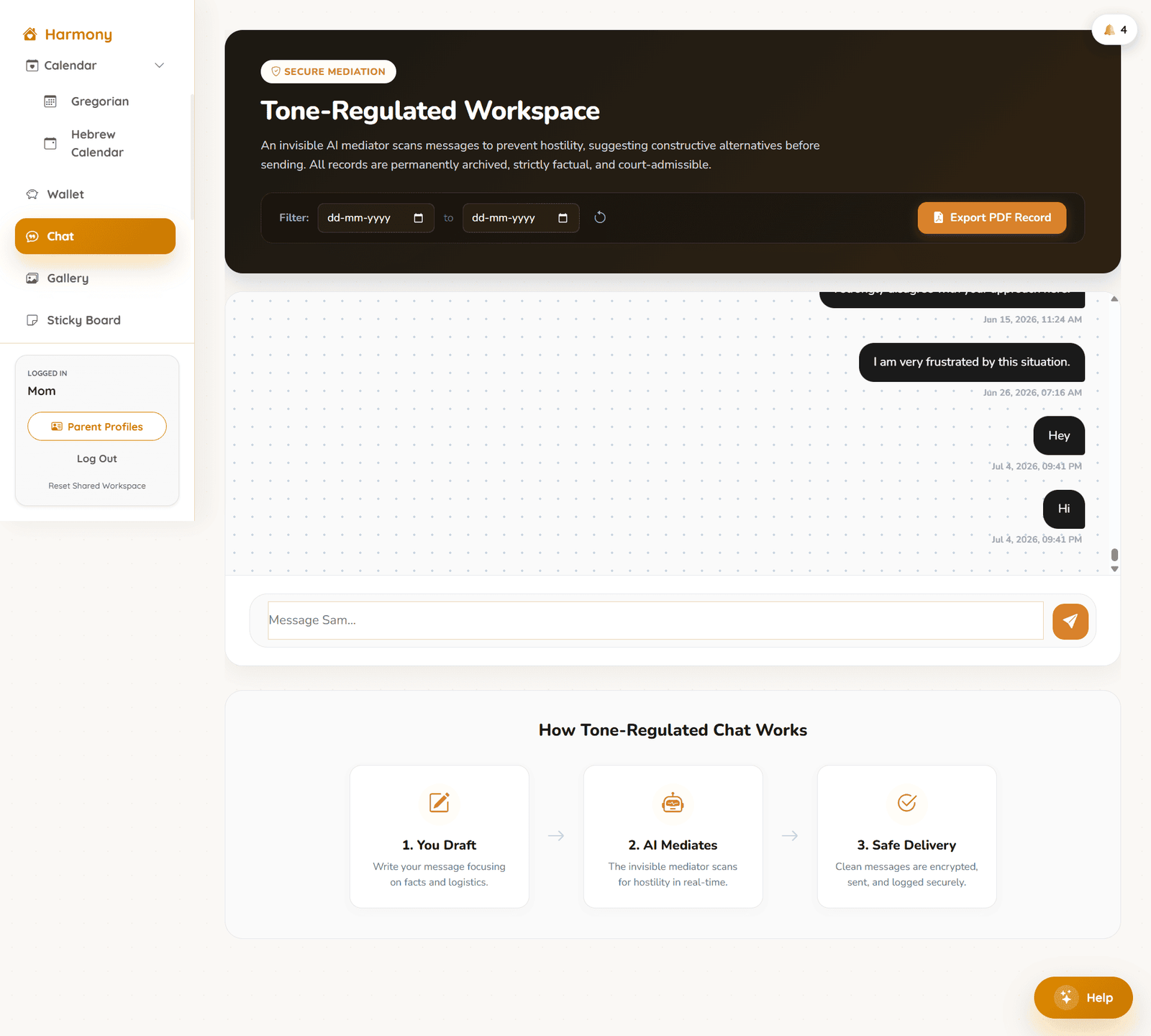
- Focused on logistics. A place for scheduling and coordination, not personal history.
- Better organized than messages scattered across personal apps.
Sticky Board
Lightweight reminders for the small things that are easy to forget between two homes.
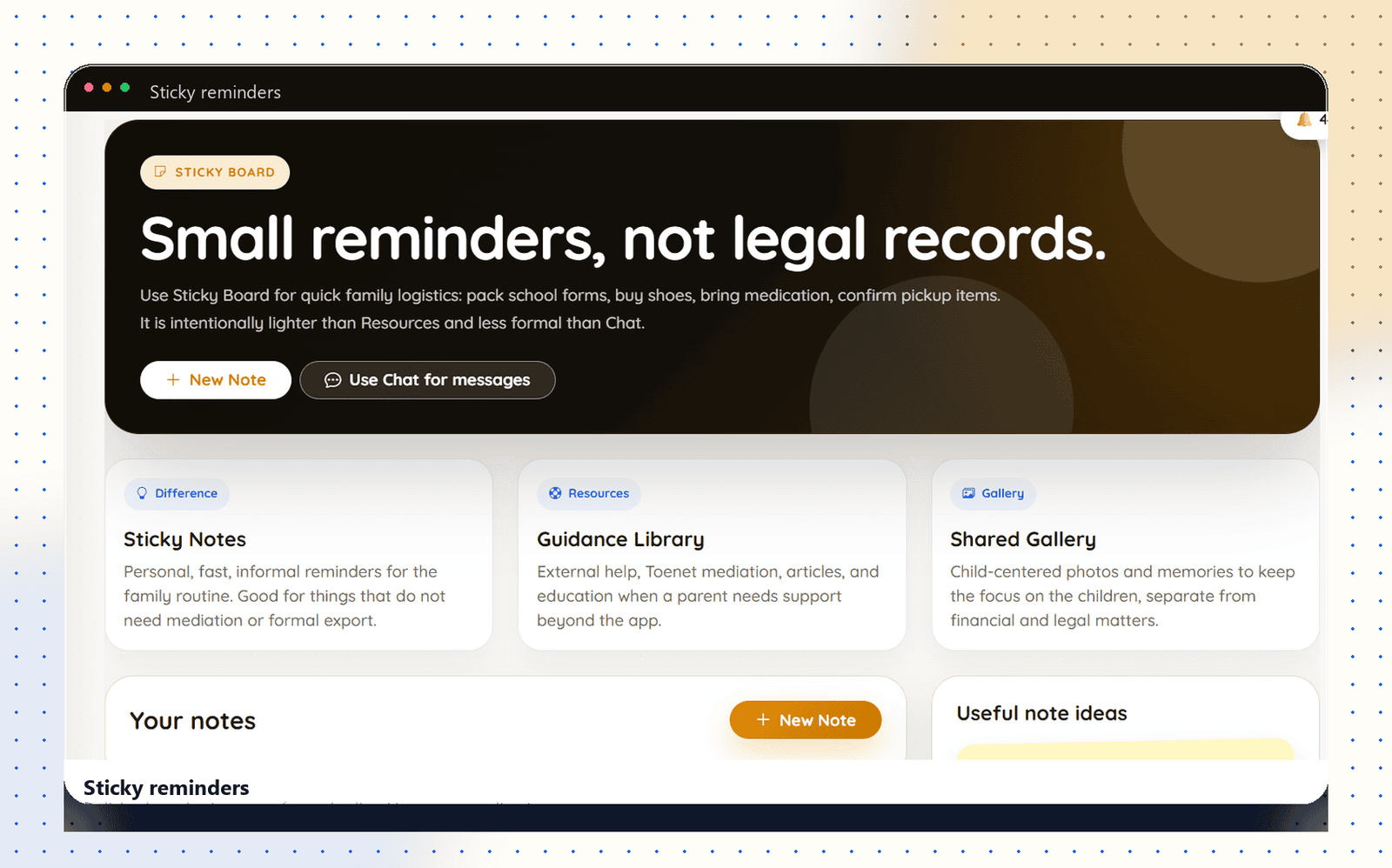
- Everyday logistics. School forms, medication, packing, and pickups.
- Intentionally light. Quick notes, kept separate from formal records.

Built with an understanding of what families need after separation.
When a relationship changes, the responsibilities of raising children don't pause. Parents may communicate differently, or keep clear boundaries, and both are valid. Even so, the schedules, school needs, appointments, expenses, and important details still arrive every week, and both parents need to stay on top of them.
I created Harmony because that information is usually scattered across messages, receipts, separate calendars, and the agreement itself. I wanted one practical place where the agreement, Calendar, Wallet, Child Vault, and communication work together, so parents spend less energy searching and more on their children.
Harmony isn't here to bring parents closer than they want to be. It's here to give both homes clarity, consistency, and a reliable system around the people who matter most.
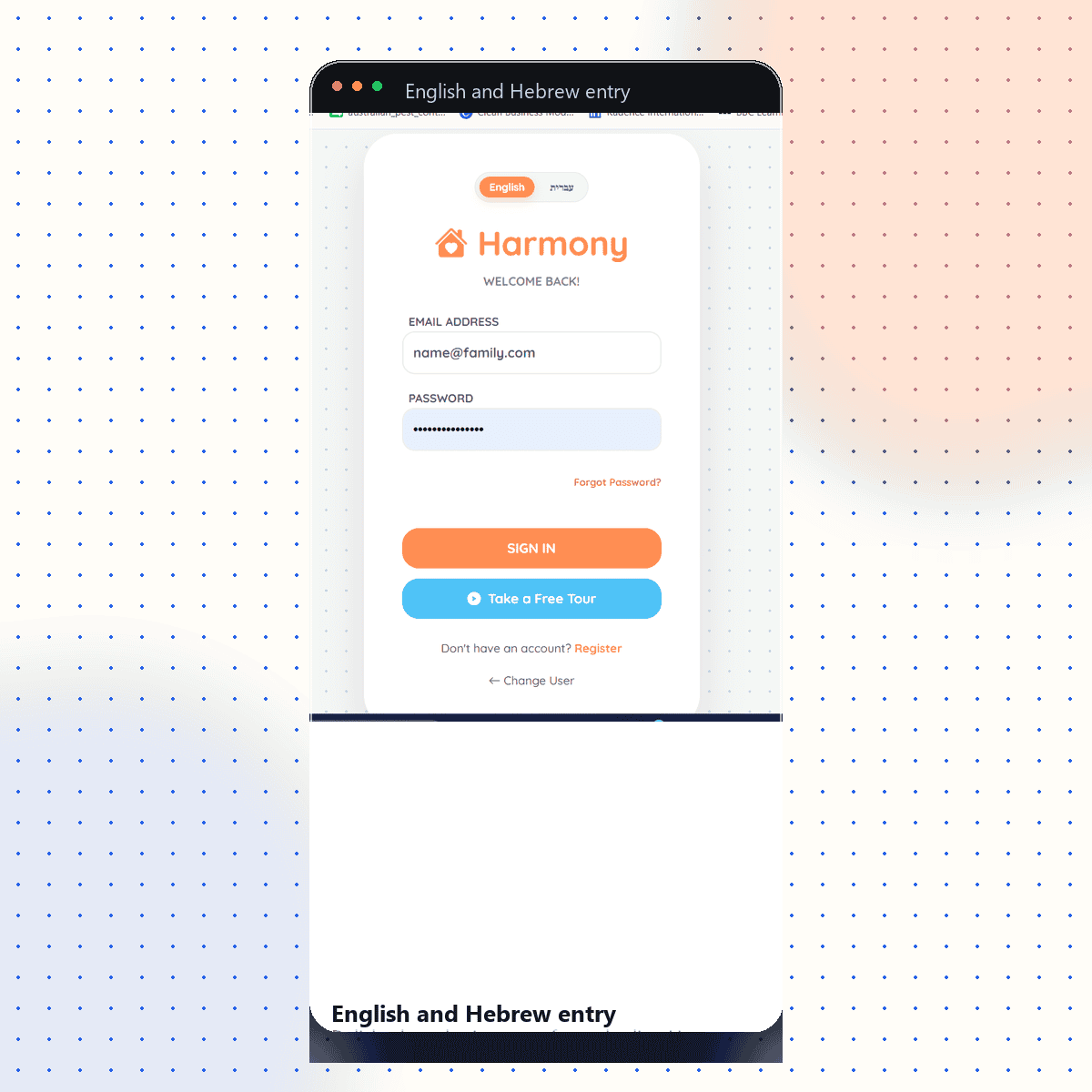
Two separate logins. One shared family picture.
Mom and Dad each keep their own account and their own login. There's no single shared password to manage, yet the information that matters for the children stays visible to both.
- Shared Calendar
- Active agreement
- Wallet balances
- Child Vault
- Assigned notifications
- English & Hebrew
Choose the setup that fits your family.
Every plan runs on the same tools. The difference is simply how many parents are set up, and each one starts with a demo, so onboarding fits your situation.
- One parent account
- Agreement upload & extraction
- Structured agreement review
- Calendar access
- Wallet access
- Child Vault access
- Sticky Board & Resources
- Initial workspace setup
- Shared family workspace
- Separate parent accounts
- Shared Calendar
- Agreement context for both parents
- Wallet & expense tracking
- Child Vault
- Structured communication
- Notifications & shared family visibility
- Full Harmony workspace setup
- Both parent accounts
- Agreement upload, extraction & review
- Agreement-driven Calendar & shared events
- Active-agreement Wallet rules
- Expense history & stored splits
- Child Vault, Chat & Sticky Board
- Notifications for each parent
- English & Hebrew access
- Full family workspace activation
The current registration experience includes an annual billing option displaying a 20% saving.
Final onboarding, billing-cycle, payment, and commercial details are confirmed during the demo.
Not sure which plan fits?
Tell us how your family is set up and what you want to organize first. We'll walk through Solo, Split, and Shared with your situation in mind.
Book a DemoAvailable in English and Hebrew.
Each parent can work in the language they're most comfortable with. The Calendar shows both Gregorian and Hebrew dates, so agreement-derived dates read naturally for everyone involved.
A few things parents ask.
Give co-parenting a calmer, clearer routine.
Leave your name and email, and we'll arrange a short walkthrough of Harmony with your own agreement in mind.
- A short walkthrough, built around your situation.
- See how your agreement flows into the Calendar and Wallet.
- Ask anything about setup, languages, and plans.
Harmony by Toenet, created to support practical family coordination after separation.
Request a demo
Takes under a minute. No account needed yet.